Creating AuthKeys
This guide will teach you how to create AuthKeys for your cloud services.
AuthKeys can be used by the entities to discover, authenticate and authorize other entities in your cloud.
Prerequisites
- A Windows 10 machine
- Phoesion Glow Blaze for Windows
What are AuthKeys?
- AuthKeys are a special character sequence (string) that contains the information necessary for entities to discover, authenticate and authorize other entities in your cloud.
- They are based on RSA cryptosystem and contain private/public key pairs and signed data, that can help establish a trusted channel between the entities in your cloud.
- Phoesion Glow Kaleidoscope uses AuthKeys to form a cluster between them and to authenticate the other entities that will become the service bus clients and form the cloud (like lighthouse,fireflies and prisms).
- Entities can also use AuthKeys to securely discover each other (weather in same LAN or not) and establish a secure AES encrypted channel.
Creating new AuthKeys
You can create new AuthKeys using Phoesion Glow Blaze.
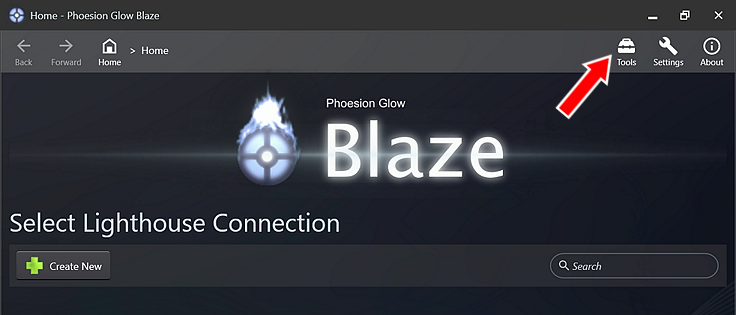
Open the Phoesion Glow Blaze app and click the Tools icon
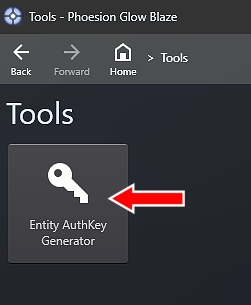
\Click on the Entity AuthKey Generator button
\Click on the Generate New Keys button to generate new AuthKeys

\Wait until the tool finishes and you will have your new AuthKeys. KEEP THEM SAFE! DO NOT LOOSE THEM!
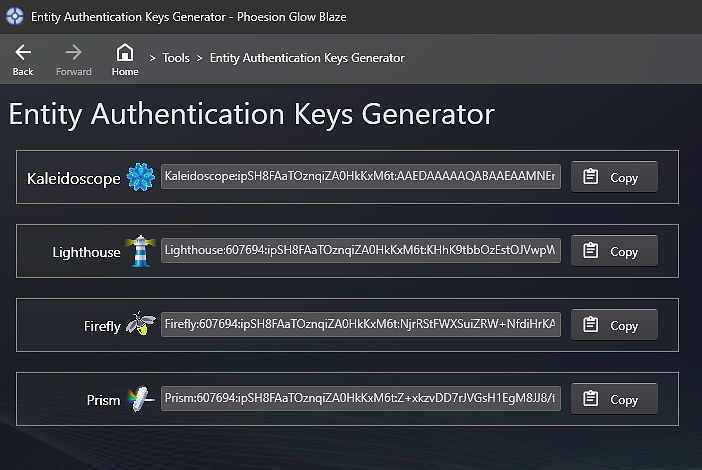
Your keys have now been generated (one key for each entity type).
To copy them to clipboard click the Copy button.Warning
Do not close the window until you have finished with the keys as they cannot be recovered.
KEEP THEM SAFE! DO NOT LOOSE THEM!
Your AuthKeys should be kept safe! They contain private cryptographic information to identify and authorize entities to your cloud.
Phoesion Glow Kaleidoscope AuthKeys are consider the primary keys and key cannot be recovered.
if you loose them you will have to re-generate new keys and apply them to all the entities in your cloud.
Important
Do NOT share your AuthKeys and keep them securely stored!
Apply your new AuthKeys
Now that you can generated your new keys and have safely and securely stored them you can apply them to your cloud entities.
Each key is created for -and can only be applied to- a specific entity type.
Follow the guides to setup your entities :